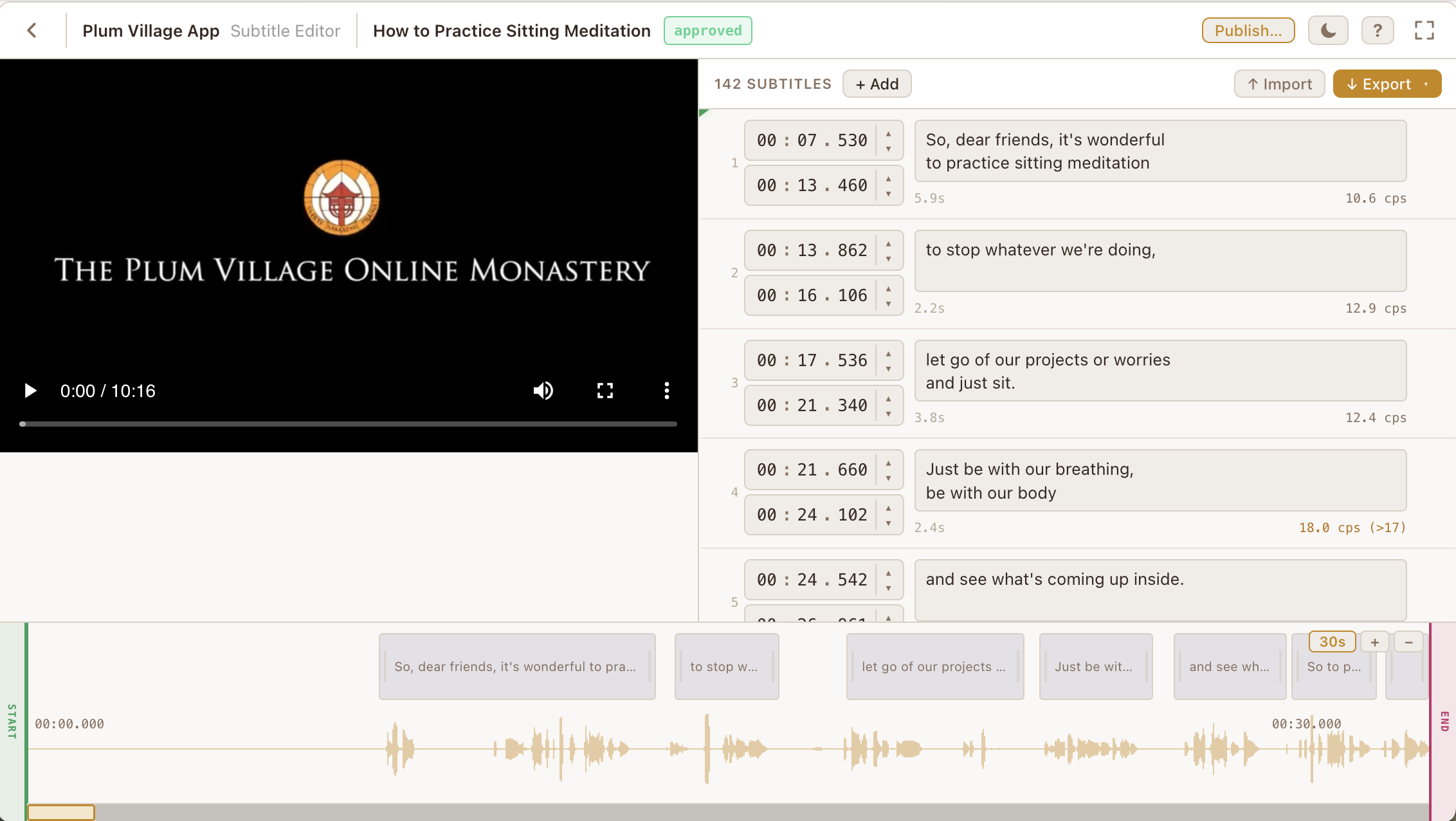
Thanks, Justin & team, for creating this new tool! Looks great, especially given I presume it probably had to be created at relatively short notice.
I’m able to work out basic features to get started working on new subtitles, OK. One new feature I particularly like is having the audio waveform at the bottom of the screen, which is a really useful addition in the new tool.
I did have a few thoughts in terms of a wish list of features it would be useful to have, or areas that could be clarified
I found the keyboard shortcuts in Amara useful, and it seemed like there were also some similar keyboard shortcuts in the new Subtitle Editor, shown in the Question mark drop-down in the top toolbar. However, as far as I can tell, other than space (play/pause) and save (Ctrl+S), most of these either don’t seem to work or it’s not clear to me how to use them. I’m on Windows 10, and have tried using these with Firefox & Chrome.
For syncing subtitle entries, for example, I found it useful to run through the video using the down arrow [↓] key to begin a caption, and the up arrow [↑] to end a caption in Amara. The shortcuts info seems to suggest this is possible using different keys (“I” & “O”?), but I don’t seem to be able to get this to work.
The workflow for using the new Subtitle Editor took a bit of time to get used to. On Amara, the advised steps were to (1) enter all the subtitle entries, (2) synchronise/timestamp the subtitle entries (as described above), and (3) review the subtitles. Switching to the new tool, it felt a bit awkward as you have to add a blank timestamped subtitle entry before writing any text. As I find it more awkward to alternate between adding a timestamped subtitle entry and entering the subtitle entry text, in the end I switched to running through the video, creating blank subtitle entries, then adding the text once all blank entries are created.
In Amara, one thing I found useful that is not available in the new tool is the txt subtitle import feature to import unsynced subtitles from a txt file (plain text format, where 1 or 2-line text subtitle entries are separated by a blank line). This was useful as I could download and edit the auto-generated subtitles from YouTube using an online tool as a starting point to speed things up. (To explain, the reason I used unsynced txt files is that the timestamps in the auto-generated subtitles on YouTube are done differently from the Amara style, with YouTube Auto-generated subtitles entry timestamps overlapping for a word-by-word sync. Because of this, downloading autogenerated YouTube timestamped srt/vtt files didn’t work well when imported)
I noticed a slightly awkward feature of the zoom feature on the bottom synced subtitle viewer, in that zooming causes the updated view to jump to the middle of the video rather than the zooming on the part you were viewing or the position of the video playback. However, it seems possible to click on the subtitle entry to the left of the timestamp to jump back to the position of a subtitle, which helps, but still would be nice if it didn’t jump to the centre of the video when zooming in or out
However, just want to say thanks again to the team for getting this up and running